MLOps study - Raviraja Week 6: CI/CD - GitHub Actions
21 Feb 2023Week 6 is about CI/CD, and within that, about GitHub Actions.
What is CI/CD?
For a non-developer who has only done research, it’s a somewhat unfamiliar term, but Continuous Integration (CI) and Continuous Deployment (CD) are absolutely essential for delivering services through code.
Since doing the work of integrating and deploying code without issues whenever a particular event occurs is inefficient to do manually, automation tools are widely used.
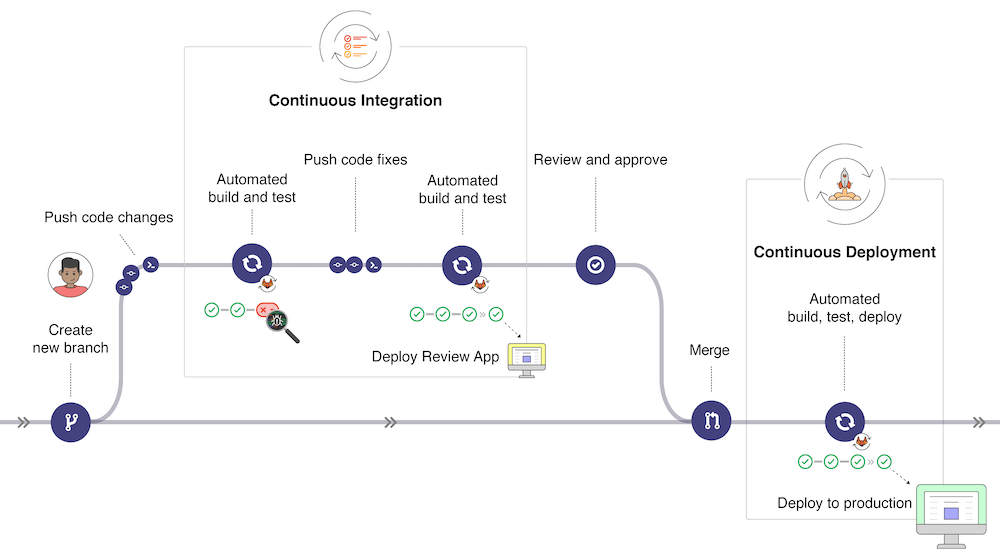
Among them, GitHub Actions is a powerful CI/CD tool that is free and draws in GitHub’s enormous user base. (I didn’t know, but it turns out it was acquired by Microsoft. With OpenAI and GitHub alike, Microsoft really was a silent killer…) Given that most code is version-controlled through GitHub, you can gauge just how big a role Actions can play.
Basics of GitHub Actions
GitHub Actions is managed simply through a yaml file.
First, let’s create a .github/workflows folder in the root directory that contains .git.
mkdir .github
mkdir .github/workflows
Shall we create an example file? Let’s create an example.yaml file and write the contents below.
on:
  push:
    branches:
      - master
jobs:
  Basic-workflow:
    runs-on: ubuntu-latest
    steps:
      - name: Basic Information
        run: |
          echo "🎬 The job was automatically triggered by a $ event."
          echo "💻 This job is now running on a $ server hosted by GitHub!"
          echo "🎋 Workflow is running on the branch $"
      - name: Checking out the repository
        uses: actions/checkout@v3
      - name: List files in the repository
        run: |
          ls $
      - run: echo "🍏 This job's status is $."
Shall we test it? If you go to your GitHub repository and click the Action tab, you can see a picture like this.

The yaml file itself is very intuitive, so it’s easy to understand. The part I’m a little curious about is the uses: actions/checkout@v3 part. This is the basic checkout action provided by GitHub. When doing a checkout, the most prerequisite step is downloading the code from the repository to local, and it’s providing automation for this.
In general, an action is composed of {owner}/{repository name}@{ref}. In the case of checkout@v3, five commands are included.
- git init
- git config
- git fetch
- git checkout
- git log
TBC…